Image Compressor: How to Reduce Image Size Without Losing Quality (2026)
The ShopBill Pro Tools team builds free browser-based tools for Indian businesses, freelancers, and students. We write about finance, e-commerce, AI, and productivity — with practical, India-specific advice.
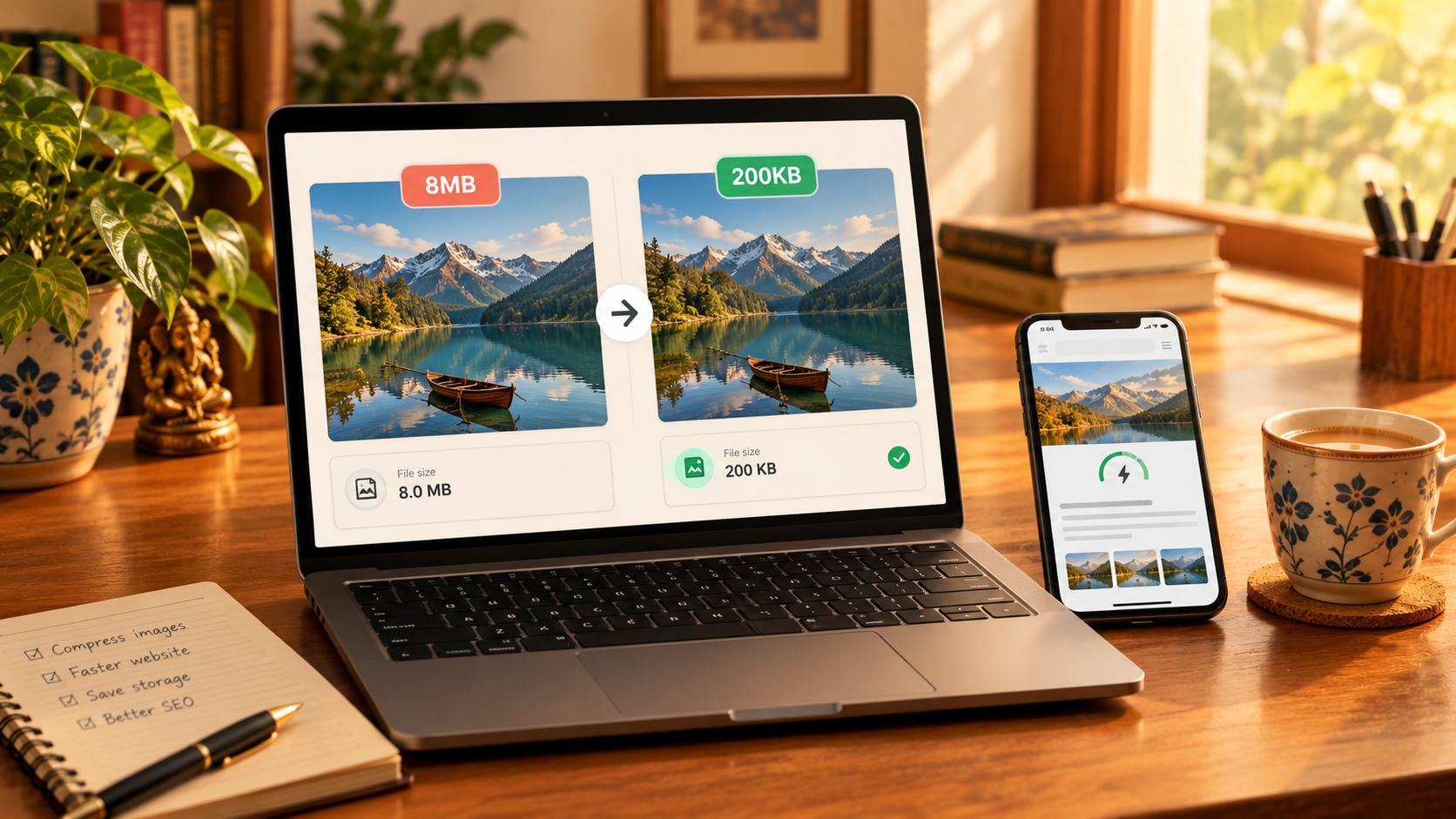
Image Compressor: How to Reduce Image Size Without Losing Quality (2026)
I'm a hotelier. Last year, I uploaded 50 room photos to my website. Each one was 8-10MB straight from my phone. The website looked beautiful on my laptop. But guests on mobile couldn't load it. The page took 12 seconds to open. Some gave up and booked elsewhere.
I didn't know image size mattered. I thought "high quality" meant "better." I was wrong. High file size doesn't mean high quality. It just means slow.
I compressed the images. Same visual quality. 90% smaller files. The page loaded in under 2 seconds. Bookings went up.
This guide covers how to compress images without losing quality — and the free tool I use that never uploads your files.
What Is Image Compression?
Image compression reduces the file size of an image while keeping it visually acceptable.
Simple version: It makes the file smaller without making the image look bad.
Why it matters:
| Problem | What Compression Solves |
|---|---|
| Slow website | Smaller images load faster |
| High data usage | Smaller files use less mobile data |
| Email attachment limits | Compress to fit under 25MB |
| WhatsApp sharing | Faster uploads, less storage used |
| Cloud storage costs | Smaller files take less space |
If you're running any kind of online business, image compression is not optional. It's basic hygiene.
Why Image Size Matters for Indian Businesses
India has some of the cheapest mobile data in the world. But that doesn't mean speed is unlimited.
1. Most of your customers are on mobile.
Over 70% of Indian internet users access the web on phones. If your website takes 10 seconds to load, they leave.
2. WhatsApp is where business happens.
If you send product photos or menu images on WhatsApp, large files take forever to upload. Compressed images send faster.
3. Google cares about speed.
Page speed is a ranking factor. Slow images hurt your SEO. Compressed images help.
4. Storage adds up.
Cloud storage, hosting, and email attachments all cost money. Smaller files cost less.
How to Compress Images (Free, No Upload)
Our Image Compressor compresses images in seconds. No signup. No upload. No watermarks.
Steps:
- Open the Image Compressor
- Select or drop your image
- Choose compression level (or keep default)
- Download your compressed image
Total time: under 10 seconds per image.
Works on: Desktop, tablet, mobile.
Formats supported: JPG, PNG, WebP.
How Much Should You Compress?
There's a balance between file size and quality. Here's my rule of thumb.
| Use Case | Recommended Size | Quality Level |
|---|---|---|
| Website hero image | 100-200KB | 70-80% |
| Product photos | 50-150KB | 70-80% |
| Blog images | 100-300KB | 75-85% |
| WhatsApp sharing | 200-500KB | 80-90% |
| Email attachments | 100-500KB | 80-90% |
| Print (photos) | 2-5MB | 95-100% |
Rule: If it's for a screen, compress it. If it's for print, don't over-compress.
Real Example: My Hotel Room Photos
Here's exactly what I did.
Before: 50 room photos, 8MB each. Total: 400MB. Website load time: 12 seconds on mobile.
After: 50 room photos, 200KB each. Total: 10MB. Website load time: 1.8 seconds.
Quality difference: None visible. The photos still looked sharp on the website. Guests didn't notice. But they noticed the speed.
Time spent: 10 minutes to compress all 50 images using our tool.
Result: Faster website, better booking experience, lower hosting cost.
Image Compression vs Image Resizing
People confuse these. They're different.
| Task | What It Does | When to Use |
|---|---|---|
| Compression | Reduces file size | When the image dimensions are fine but the file is heavy |
| Resizing | Changes dimensions (width × height) | When the image is too large for its use case |
If your image is 4000×3000 pixels but you only need it for a 800×600 website banner, you should resize it first, then compress it. Use our Image Resizer for dimensions, then our Image Compressor for file size.
Common Mistakes to Avoid
1. Over-compressing.
If you compress too much, the image looks blurry or pixelated. Stick to 70-85% quality for most screen uses.
2. Compressing the wrong format.
JPG is good for photos. PNG is better for graphics with text or transparency. WebP is modern and efficient for the web.
3. Compressing an already-compressed image.
If an image is already small, compressing it again reduces quality without saving meaningful space. Check the file size first.
4. Not compressing at all.
This is the most common mistake. If your website images are over 500KB, you're losing visitors.
5. Using a tool that uploads your files.
If the tool shows a progress bar or asks you to wait, your file left your device. Use a browser-based tool that never uploads.
Related Tools You Might Need
Image compression fits into a workflow. These tools help:
- Image Resizer — Change dimensions before compressing
- PDF Compressor — Reduce PDF file size
- QR Code Generator — Create QR codes for menus and payments
- Invoice Generator — Professional invoices
- Word Counter — Check text length before sharing
All free. No signup.
Frequently Asked Questions
Is image compression free?
Yes. Our Image Compressor is completely free. No signup, no watermarks, no limits.
Does the file upload to a server?
No. Our tool runs entirely in your browser. Your image never leaves your device.
Will compression reduce quality?
At moderate settings (70-85%), the quality loss is invisible for screen use. For print, use higher settings.
Can I compress multiple images at once?
Our tool handles one image at a time. For bulk compression, compress them individually — it's fast.
What formats are supported?
JPG, PNG, and WebP.
How much can I reduce file size?
Typically 50-90%, depending on the original image and compression level.
Does it work on mobile?
Yes. It works on any browser.
The Bottom Line
Image compression is one of those small tasks that makes a big difference. It speeds up your website. It reduces data usage. It makes sharing easier.
And it takes seconds. There's no reason not to do it.
Use our Image Compressor, compress your images, and watch your website load faster. I did. My guests noticed.
Try Our Free Tools
Everything you need to optimise images and documents — free, no signup:
- Image Compressor — Reduce image size instantly
- Image Resizer — Change dimensions
- PDF Compressor — Reduce PDF size
- QR Code Generator — For menus and payments
- Invoice Generator — Professional invoices
All tools work in your browser — no signup, no upload.
Written by Vinay. I run a hotel, build tools in my spare time, and learn something new every day. This article is based on my real experience — not theory.
Need free tools while you read?
120+ free tools for Indian businesses - no signup required.
Related articles

ChatGPT Wallet: How AI Agents Spending Money Will Change Small Business
OpenAI just gave AI agents the ability to make purchases. Here is how the new ChatGPT Wallet works, the security risks, and what it means for your business billing.
Home Loan Amortization Schedule Explained (With Example)
A home loan amortization schedule shows exactly how much of your EMI goes to interest vs principal. In the early years, 80% of your EMI is just interest. Here is how to read it.

Flat vs Reducing Interest Rate: Why Car Dealers Trick You (2026)
A 10% flat interest rate is actually an 17.3% reducing rate. Learn how car dealers use the flat rate trick to hide the true cost of your loan and how to calculate it.